IBM Agentic Tooling
As an AI Solutions Engineer at IBM, I build client-facing solutions and architect internal tooling to optimize our team’s operational workflows. My key contributions include:
• Engineeering end-to-end workflows bridging Mural, Bob, and Figma by developing a custom Mural MCP server alongside IBM’s internal Figma MCP.
• Automating cross-functional business tracking and client engagement pipelines within Monday.com.
Overview
As an AI Solutions Engineer at IBM, I sit at the intersection of design, engineering, and client delivery. My work focuses on building agentic tooling that removes friction from how the team operates — turning manual, repetitive processes into automated workflows powered by AI.
The two projects on this page represent that work: a Mural-to-Figma pipeline that uses the Model Context Protocol to let IBM Bob read and act on client workshop boards, and a Monday.com automation that enriches board data in real time from unstructured update notes. Both were built to solve problems I observed directly on the job.
01: Mural to Figma Workflow
I built an internal Agentic AI tool layer for IBM Bob, IBM’s generative task assistant, which integrates directly with Mural, a white boarding tool we use with clients, via the Model Context Protocol.
A problem I noticed is that during intense client workshops, critical requirements often get lost in translation with the team. I engineered this to act as a bridge, enabling Bob to dynamically read, synthesize, and structurally execute changes directly into Mural.
Here’s how it works:
+-----------------------+     unstructured notes     +-----------------------+     exposes objects & context     +-----------------------+
| Client Workshop       | -------------------------> | Custom Mural          | --------------------------------> | IBM Bob               |
| (Mural)               | & requirements             | MCP Server            | via MCP                           | AI Task Assistant     |
+-----------------------+                            +-----------------------+                                   +-----------------------+
                                                                                                                             |
                                                                                                                             | synthesizes notes &
                                                                                                                             | generates UI/UX specs
                                                                                                                             v
+-----------------------+    generates templates     +-----------------------+     executes layout mutations     +-----------------------+
| Figma Wireframe       | <------------------------- | Figma Design          | <-------------------------------- | IBM Internal          |
| Templates             |                            | Canvas                |                                   | Figma MCP             |
+-----------------------+                            +-----------------------+                                   +-----------------------+
Sample Mural board
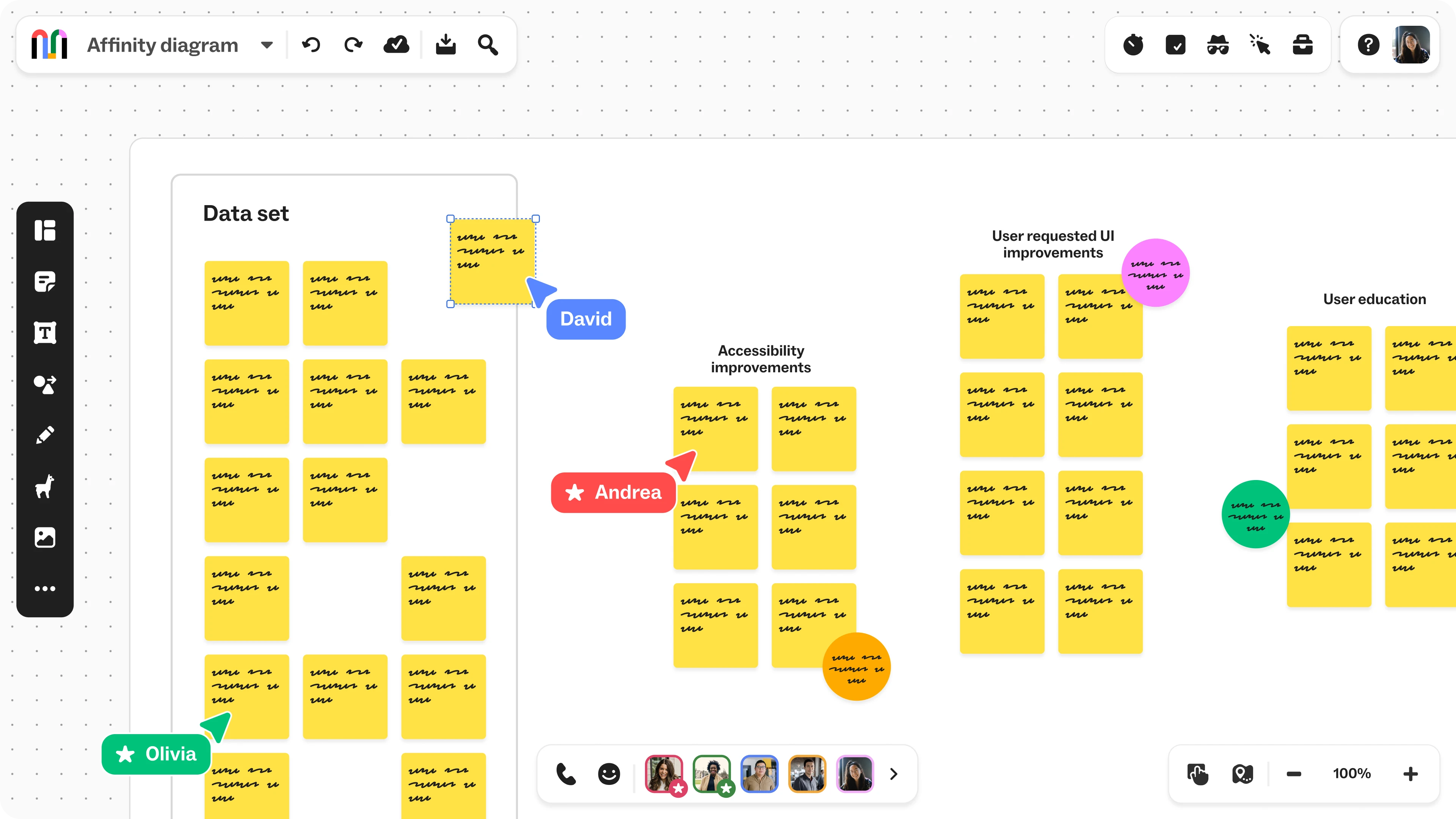
Using Custom Mural MCP to synthesize Mural board
After synthesizing project notes in Mural and routing them to IBM Bob, team members can leverage the internal Figma MCP to automatically generate structured design templates.
Figma MCP to generate designs
02: Monday.com Workflow
I engineered an automated Monday.com workflow that dynamically enriches board data from unstructured user inputs. When a project name or status update is modified, a webhook triggers a custom NodeJS server hosted on Railway, which processes the payload via the OpenAI API and populates the remaining board fields automatically.
A problem I noticed is that our team was spending significant time manually filling in board metadata — client names, opportunity stages, account details — from loosely written update notes. I built this automation to eliminate that overhead, so the board always reflects accurate, structured data without anyone having to re-enter it.
Here’s how it works:
+-----------------------+     signs POST with JWT    +-----------------------+     verifies JWT & extracts    +-----------------------+
| monday.com Board      | -------------------------> | Custom Node.js Server | -----------------------------> | watsonx.ai            |
| trigger: item updated | (over HTTPS)               | Railway Handler       | note text                      | IBM Cloud             |
+-----------------------+                            +-----------------------+                                +-----------------------+
                                                                                                                          |
                                                                                                                          | parses, enriches, &
                                                                                                                          | returns structured fields
                                                                                                                          v
+-----------------------+    updates columns         +-----------------------+     sends GraphQL mutation     +-----------------------+
| Board Updated         | <------------------------- | monday.com Board      | <----------------------------- | monday.com GraphQL    |
| (Target fields fill)  |                            | (Populated state)     | (over HTTPS)                   | API                   |
+-----------------------+                            +-----------------------+                                +-----------------------+
Trigger 01: Updating the opportunity name
Trigger 02: Updating the opportunity updates